> ## Documentation Index
> Fetch the complete documentation index at: https://docs.aversure.com/llms.txt
> Use this file to discover all available pages before exploring further.
# The Q&A pipeline
> How questions move through pipeline steps from submission to publishing
The **Q\&A pipeline** consists of **steps** that each question moves through.
Questions normally progress forward but can move backwards to previous steps if needed.
Each step is assigned to one or more **members** that are responsible for performing the actions allowed under the step.
A member can be an individual user, a user group or all users in the data room.
Should a step have no members, questions cannot proceed from that step and will get stuck (unless the step is automated).
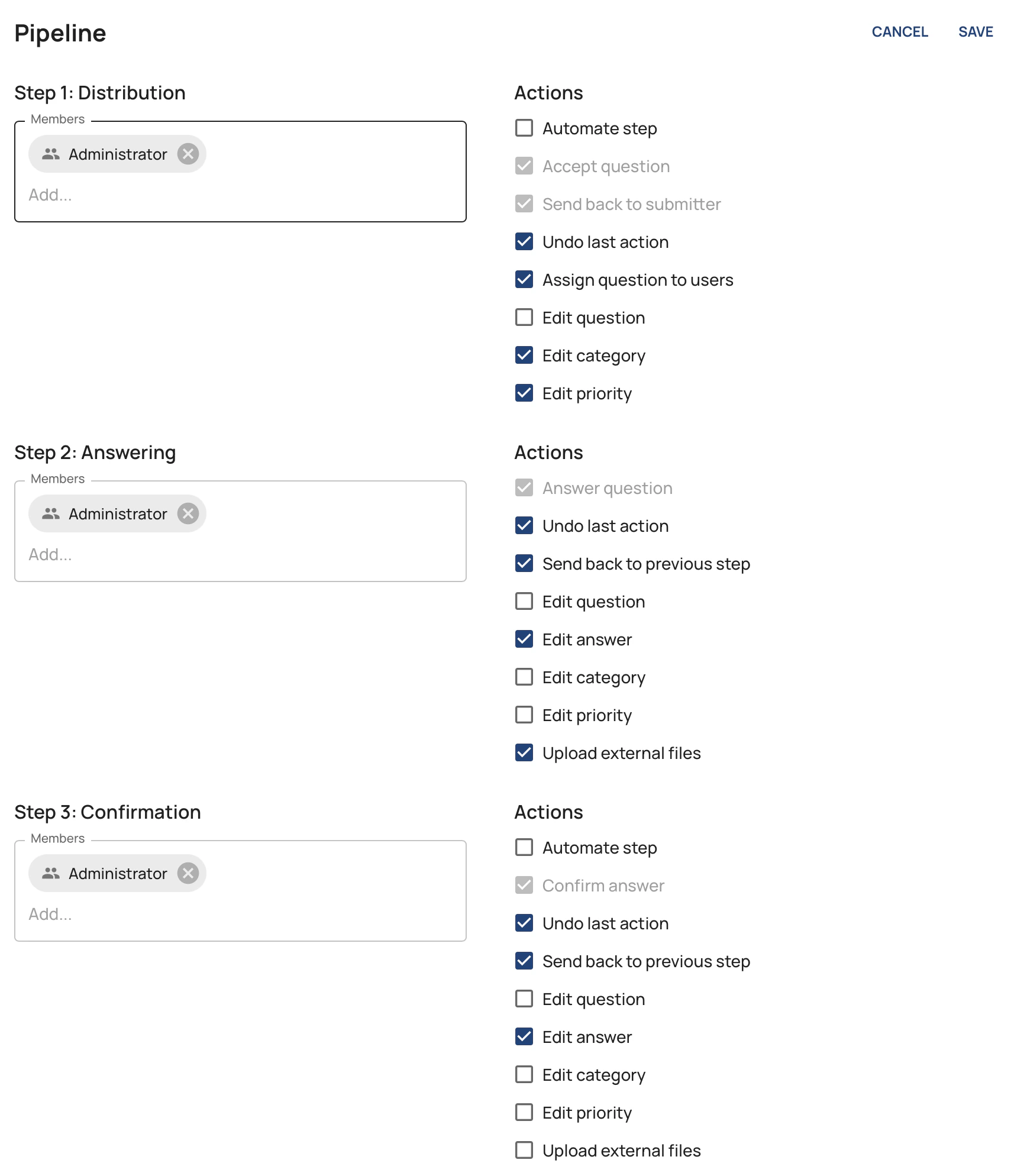
Each step has a number of **actions** that the members of the step can perform.
Some actions can be enabled or disabled by an administrator while others will always remain enabled for the pipeline to be able to operate properly.
Some steps can be **automated** which will allow the question to proceed automatically through that step (in either direction).
## A question's progress through the pipeline
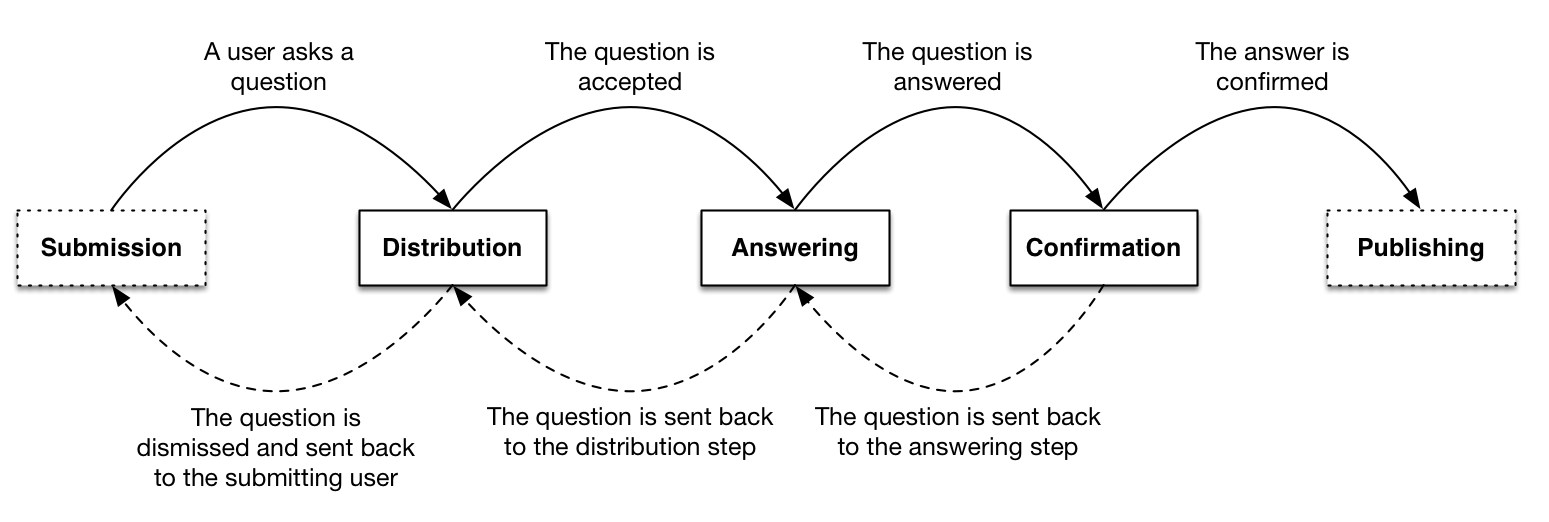 The submission and publishing steps cannot be customized and are not shown in the list of steps in the Administration Interface.
## Editing the Q\&A pipeline
1. In the **Administration Interface**, go to the **Q\&A** page.
2. Select the **Data room** in the drop-down box in the header.
3. Select the category for which the pipeline should be updated.
4. Click the **Edit** button in the **Pipeline** pane.
5. Add or remove members (if applicable).
6. Enable or disable actions (if applicable).
7. Automate steps by ticking the **Automate step** checkbox (if applicable).
8. Click on the **Save** button to save the changes.
The submission and publishing steps cannot be customized and are not shown in the list of steps in the Administration Interface.
## Editing the Q\&A pipeline
1. In the **Administration Interface**, go to the **Q\&A** page.
2. Select the **Data room** in the drop-down box in the header.
3. Select the category for which the pipeline should be updated.
4. Click the **Edit** button in the **Pipeline** pane.
5. Add or remove members (if applicable).
6. Enable or disable actions (if applicable).
7. Automate steps by ticking the **Automate step** checkbox (if applicable).
8. Click on the **Save** button to save the changes.
 If you enable automation on a step that already has questions waiting on it, those questions will be automatically
processed through the step when you save.
A confirmation dialog will appear before saving to inform you of this.
When you change the members of a pipeline step, questions currently on that step are reassigned to match the new members. Newly added members are assigned to those questions, and removed members are unassigned from them.
Questions that have been individually assigned to specific users are not affected. Only questions whose current assignment matches the full set of step members are updated.
If you enable automation on a step that already has questions waiting on it, those questions will be automatically
processed through the step when you save.
A confirmation dialog will appear before saving to inform you of this.
When you change the members of a pipeline step, questions currently on that step are reassigned to match the new members. Newly added members are assigned to those questions, and removed members are unassigned from them.
Questions that have been individually assigned to specific users are not affected. Only questions whose current assignment matches the full set of step members are updated.