> ## Documentation Index
> Fetch the complete documentation index at: https://docs.aversure.com/llms.txt
> Use this file to discover all available pages before exploring further.
# Disclaimers
> Adding disclaimers that users must accept before accessing a data room
The Service allows you to add disclaimers that need to be accepted by users before they can access a data room.
The disclaimer can be shown only the first time a user logs in or every time the user logs in to the data room.
## Adding or editing disclaimers
1. In the **Administration Interface**, go to the **User Rights** page.
2. Select the **Data room** in the drop-down box in the header.
3. Select the **User group** in the next drop-down box.
4. Click on the **Edit** button for the disclaimer you would like to edit.
5. Enter the new disclaimer text in the text box.
6. Click **Save** to update the disclaimer with the new text.
Disclaimers are assigned on a user group basis. To share the same disclaimer between several user groups, the disclaimer can be copied between the groups (using the right click menu or the standard `Ctrl` + `C` and `Ctrl` + `V` keyboard combinations).
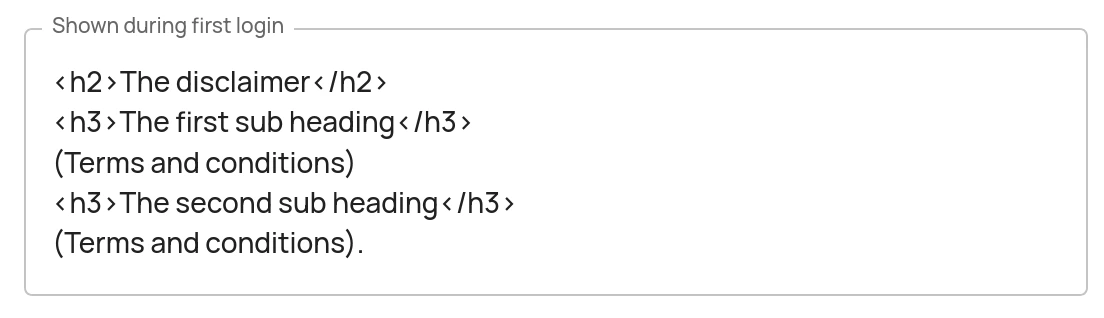
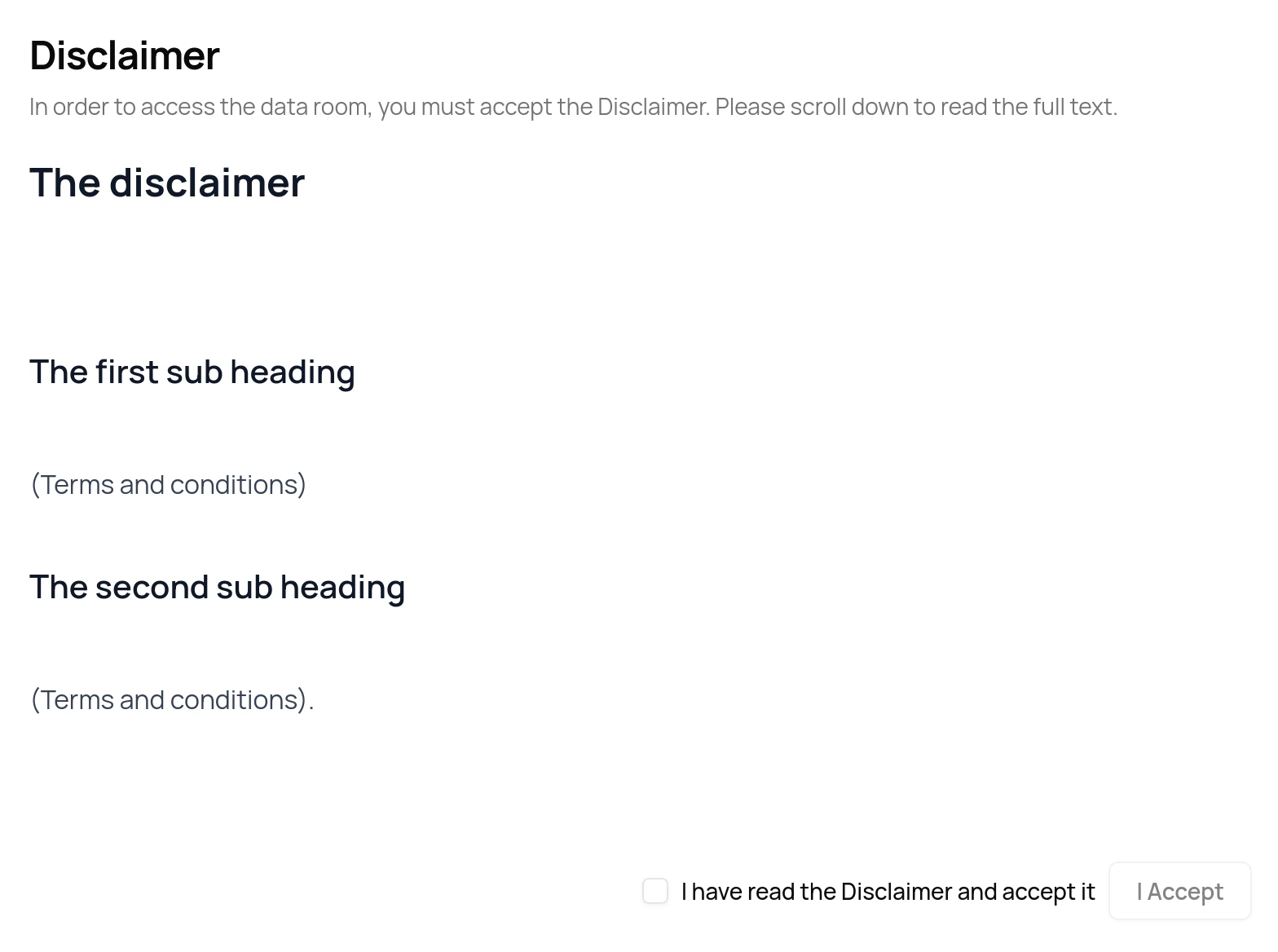
Simple HTML tags such as ``, `` and the `` tags may be used (where `*` is a number between 1 and 6). An example using simple HTML tags is shown below together with how the disclaimer will be presented to users.
### Example of a disclaimer with HTML tags
 ### How the disclaimer is displayed to users
 ## Removing disclaimers
Remove a disclaimer by removing all of its contents (i.e. by leaving the disclaimer text box empty).
## Removing disclaimers
Remove a disclaimer by removing all of its contents (i.e. by leaving the disclaimer text box empty).