> ## Documentation Index
> Fetch the complete documentation index at: https://docs.aversure.com/llms.txt
> Use this file to discover all available pages before exploring further.
# Downloading indexes
> How to generate and download an index file for a data room
This feature is only available in Standard Data Rooms.
The Service allows users and administrators to generate an index file for a data room.
The index file is generated based on the structure and content of the data room when it is generated and observes all user rights that have been set.
This feature is turned on by default but can be disabled by an administrator for certain user groups. See [Customizing user rights](/users-and-user-rights/customizing-user-rights) for more information.
In addition to the visible columns, the index file contains additional hidden columns that include information on file size, file type, upload date and the total path length. The columns may be unhidden in Excel after the index has been created.
## Downloading an index
### Inside the data room
1. In the left pane, click on **Download Index**.
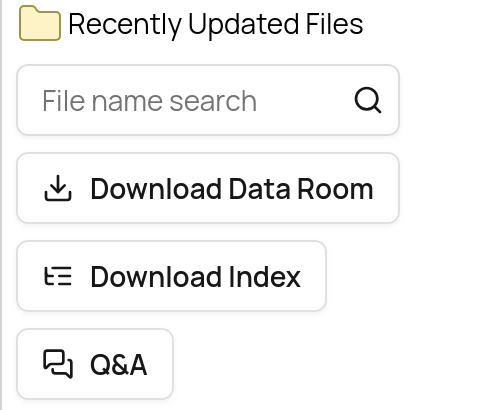 2. Wait until the index has been generated.
### In the Administration Interface
1. Go to the **Data Rooms** page.
2. Click on **Download Index** for the data room in question.
3. Select if you want to include files and folders, or folders only.
2. Wait until the index has been generated.
### In the Administration Interface
1. Go to the **Data Rooms** page.
2. Click on **Download Index** for the data room in question.
3. Select if you want to include files and folders, or folders only.
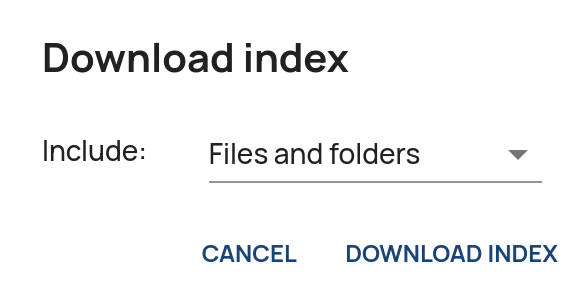 4. Wait until the index has been generated.
For large data rooms, index generation may take a few minutes.
4. Wait until the index has been generated.
For large data rooms, index generation may take a few minutes.