
Limiting recently updated files
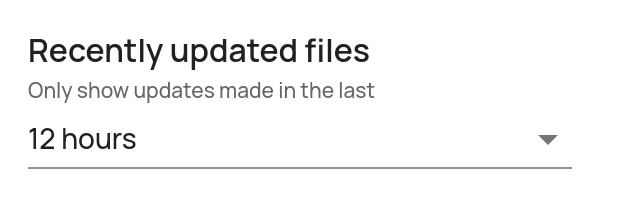
Recently updated files can be limited to only show files uploaded in the last X hours (unlimited by default). To change this setting:- In the Administration Interface, go to the Data Rooms page.
- Click on Edit for the relevant data room.
- Click on Edit in the Other settings pane.
- Adjust the Recently updated files setting.
- Click on Save.
Resetting recently updated files
The list of Recently updated files can be reset (to an empty list). If it is reset, it will only include uploads made after the reset. To reset the list:- In the Administration Interface, go to the Data Rooms page.
- Click on Edit for the relevant data room.
- In the bottom pane, under the Recently updated files heading, click on the Reset list button.

Resetting the upload date for all files in a data room
If you want to renew the upload dates for all files in a data room without having to upload them again, you can use the Reset upload dates feature. Using this feature will set the upload date for all files in the data room to the current date and time. To do so:- In the Administration Interface, go to the Data Rooms page.
- Click on Edit for the relevant data room.
- In the bottom pane, under the Upload dates heading, click on the Reset upload dates button and confirm the action in the dialog that appears.