
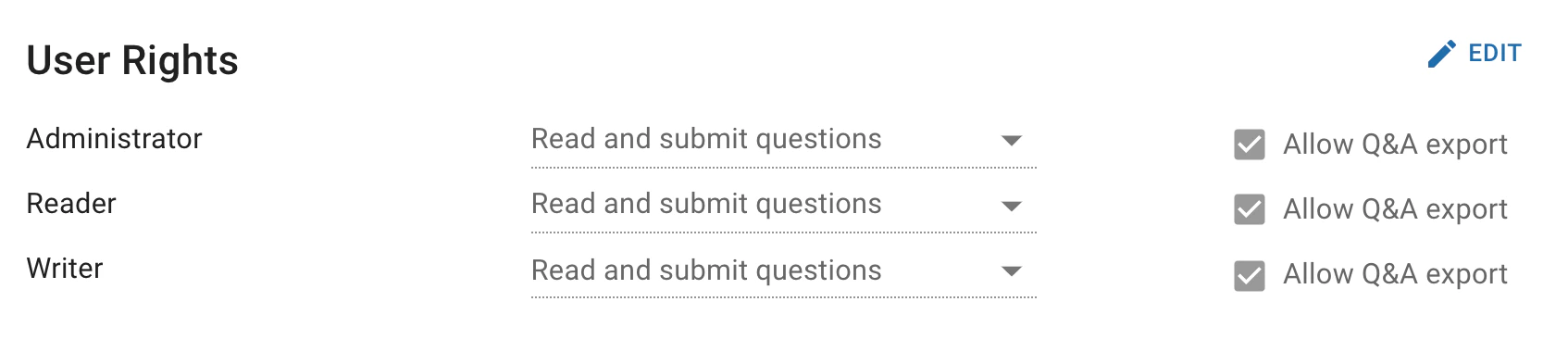
- Default: Rights are inherited from the default category.
- No rights: The user can neither ask nor read questions
- Read questions only: The user can read but not ask questions.
- Read and submit questions: The user can both read and ask questions.
Question availability and visibility
The Q&A limits the information that is available to users. Drafts to answers are only shown to users that have been tasked with answering the question or confirming the answer (in addition to administrators). Only administrators are privy to the full activity log. The table below displays which information is available to a user, depending on the question’s status and the role of the user. Members of the current pipeline step denotes the users that are responsible for a step in the pipeline (e.g. the confirmation step) when the question is at that step.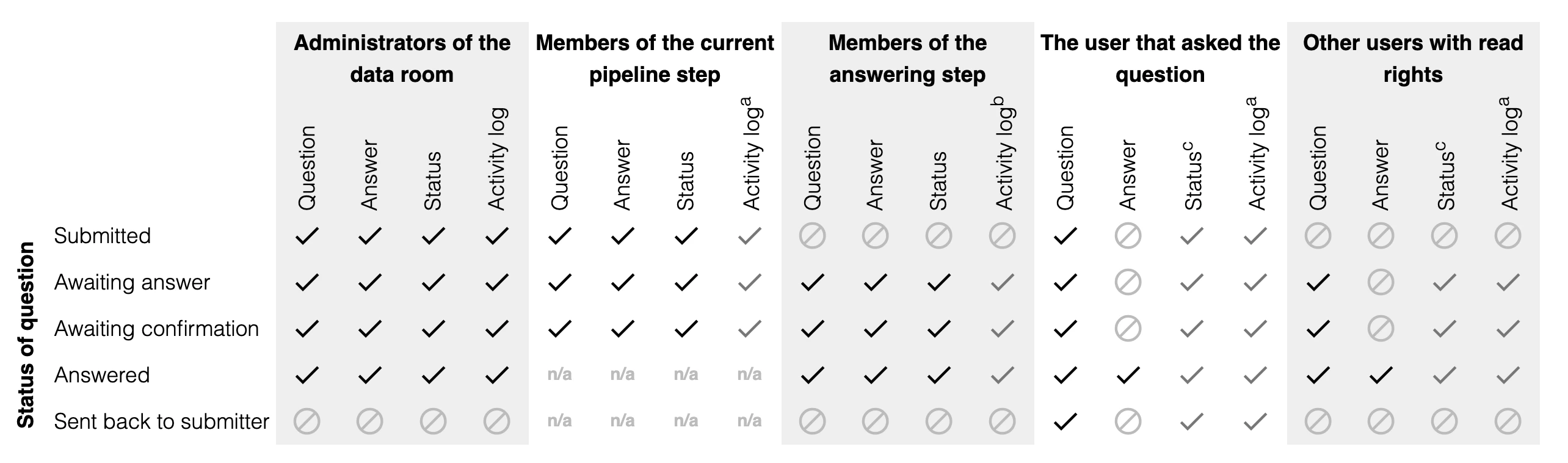
- (a): A limited activity log with information on when the question was submitted, accepted and published is shown. No information on which user performed each step is shown.
- (b): Only a limited activity log is shown with the exception of the answering step for which the full activity log is shown, including information on who has answered the question in order for users of the answering step to be able to see who has worked on a draft.
- (c): Only summary status is shown: Submitted, Awaiting answer, Answered or Sent back.