
Watermarking
Watermarking allows you to add watermarks to PDFs that are downloaded from a data room. The watermark will consist of the email address of the user that downloaded the document. It will be applied sideways across each page in a transparent text with a light gray font. A sample is shown below.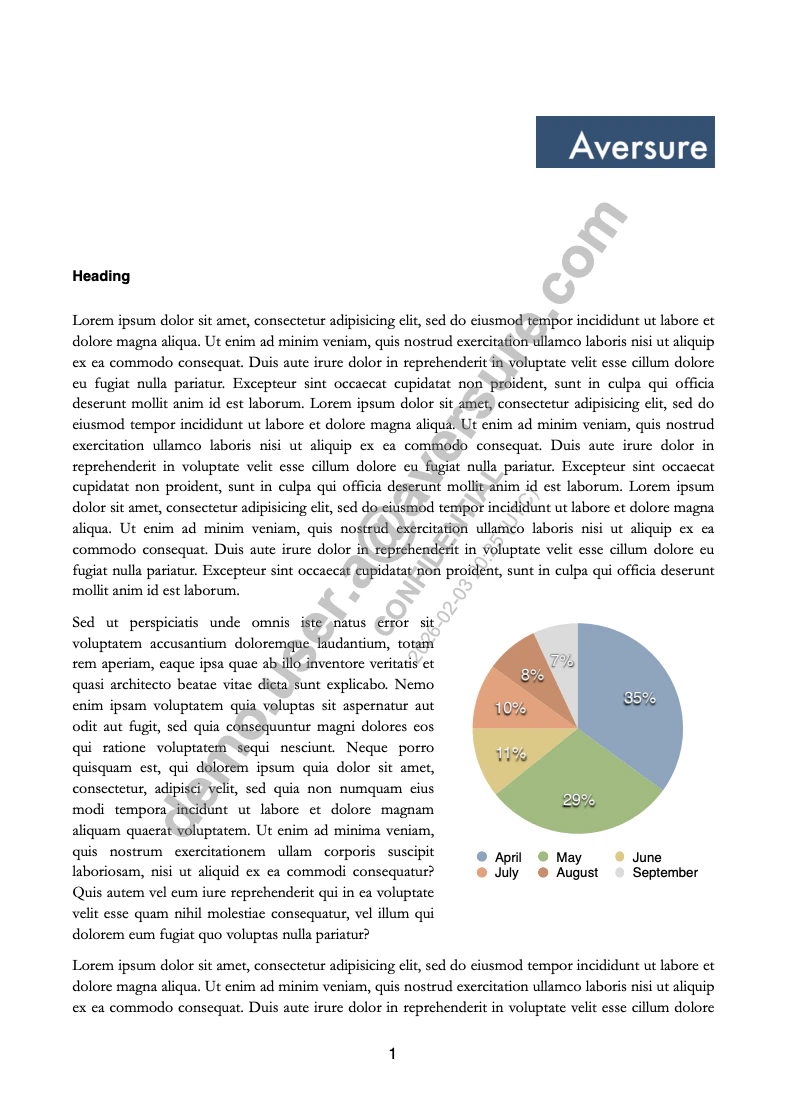
The Service may not be able to watermark encrypted PDFs, PDFs with corrupted file structures or PDFs with significant complexity or large file size (such as complex vector drawings).
Watermarking cannot be enabled for administrators.