The Service allows you to add disclaimers that need to be accepted by users before they can access a data room.
The disclaimer can be shown only the first time a user logs in or every time the user logs in to the data room.
Adding or editing disclaimers
-
In the Administration Interface, go to the User Rights page.
-
Select the Data room in the drop-down box in the header.
-
Select the User group in the next drop-down box.
-
Click on the Edit button for the disclaimer you would like to edit.
-
Enter the new disclaimer text in the text box.
-
Click Save to update the disclaimer with the new text.
Disclaimers are assigned on a user group basis. To share the same disclaimer between several user groups, the disclaimer can be copied between the groups (using the right click menu or the standard Ctrl + C and Ctrl + V keyboard combinations).
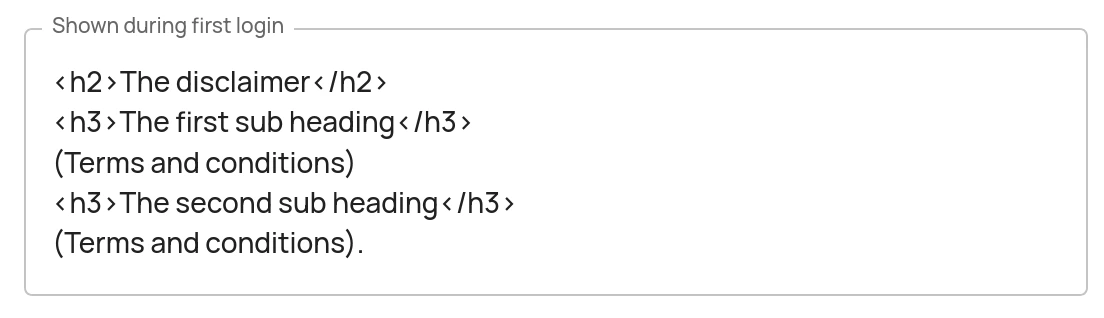
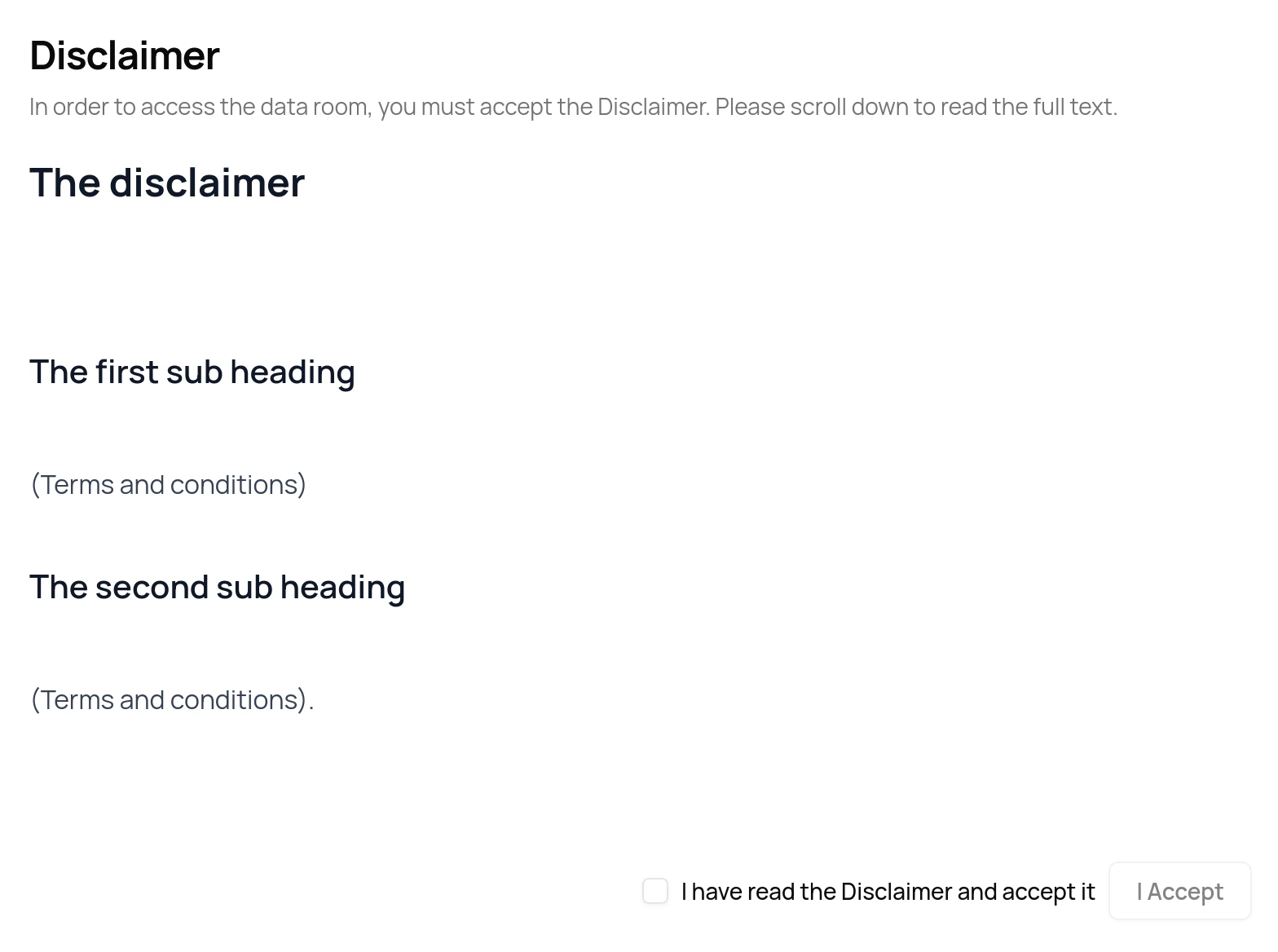
<b>, <i> and the <h*> tags may be used (where * is a number between 1 and 6). An example using simple HTML tags is shown below together with how the disclaimer will be presented to users.
How the disclaimer is displayed to users
Removing disclaimers
Remove a disclaimer by removing all of its contents (i.e. by leaving the disclaimer text box empty). 