
Accepting and distributing a question
- Inside the data room, bring forward the Q&A panel by pressing the Q&A button below the folder tree.
- Click on the Needing my attention selector or on a category selector.
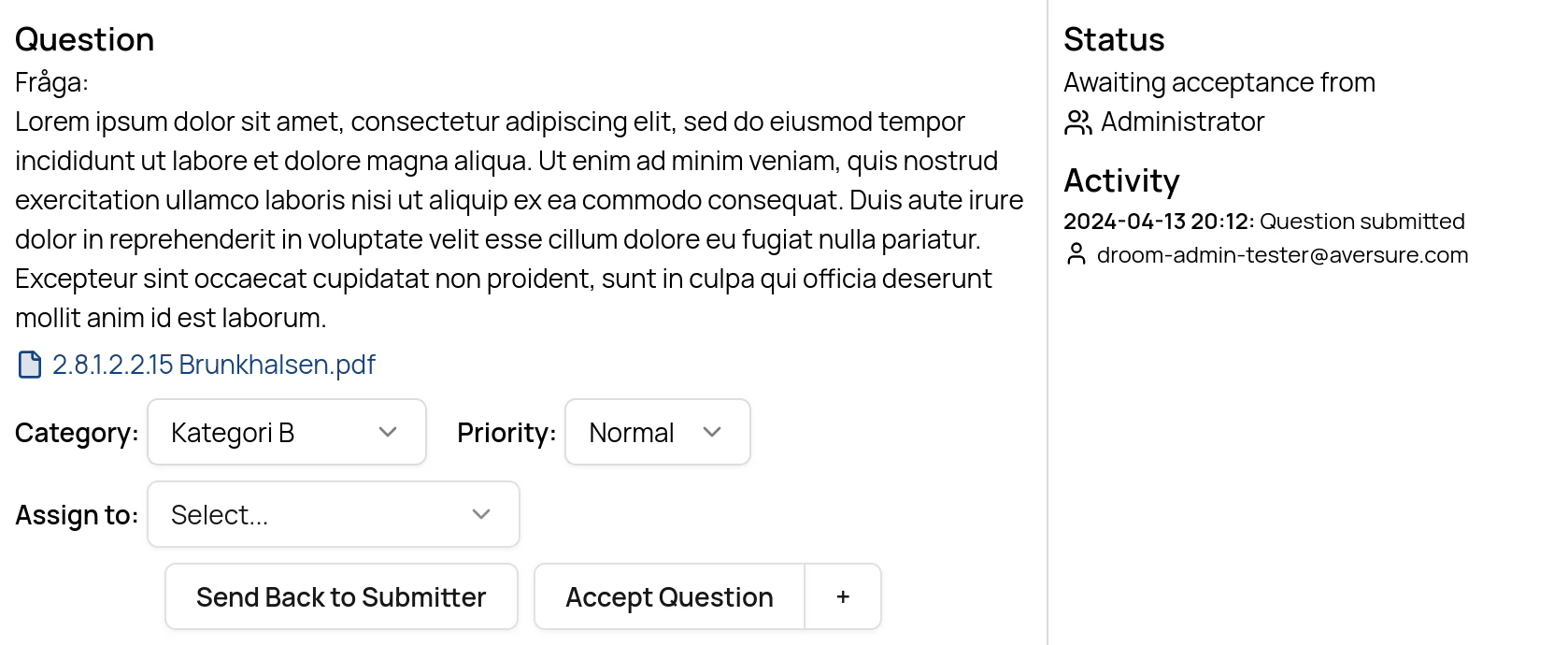
- Click on Show for the question to be accepted.
- Switch the category (if applicable).
- Change the priority (if applicable).
-
Assign the question to an individual user or to a user group (if applicable).
- The question can only be assigned to the members of the Answering step (the next step in the pipeline). To edit the list of members, see the page on the Q&A pipeline.
- Should you not select any user to assign the question to, it will be assigned to all members of the Answering step.
-
Click the Accept button if you want to accept the question and move it to the next step in the pipeline.
- Should you wish to add a comment for the next user(s) in the pipeline, click the + button next to Accept.
-
Click the Send back to Submitter button if you would like to send the question back to the submitter, e.g. for clarification.
Accepting several questions
On desktop, you can accept several submitted questions at once.- Select the questions in the question list.
- Click Accept Questions in the top menu.
- Review the questions listed in the confirmation dialog.
-
If applicable, assign the questions to an individual user or to a user group.
- Only users or groups that can be assigned to every selected question are selectable.
- Questions that cannot be assigned are accepted without a separate assignment.
- If you do not select anyone, the questions are assigned according to the Q&A pipeline.
- Click Accept.