Exporting Q&A
Questions and answers can be exported to an Excel file for archiving or printing.Exporting in the Data Room
- Inside the data room, bring forward the Q&A panel by pressing the Q&A button below the folder tree.
- Click on Export Q&A. If the button is not shown, the user needs to be granted permission to export Q&A.
-
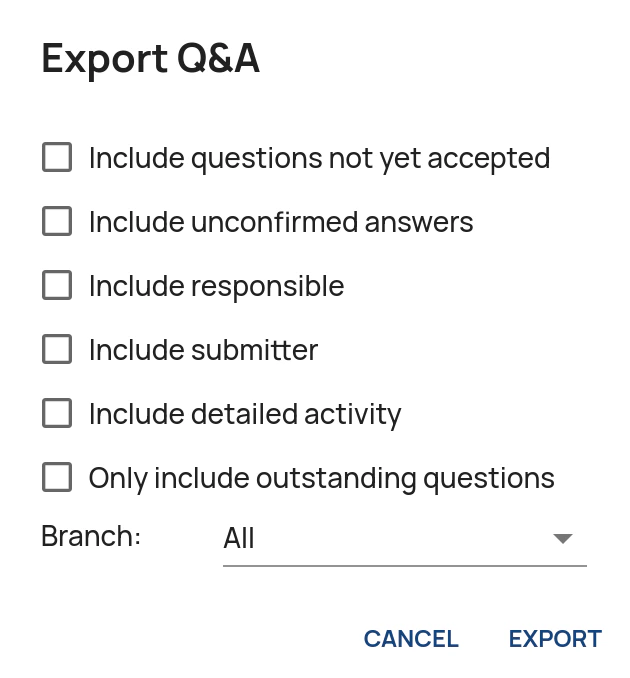
Administrators are presented with the following options:
- Include questions not yet accepted: Includes questions that have not yet been accepted in the export.
- Include unconfirmed answers: Includes draft answers in the export.
- Include responsible: Adds a column with information on who is responsible for each question (at the current step in the pipeline).
- Include submitter: Adds a column with information on who has submitted each question.
- Include detailed activity: Includes detailed activity logs on which user has worked on each question.
- Only include outstanding questions: Filters out answered questions.
- Wait for the export to complete.
Exporting in the Administration Interface
- In the Administration Interface, go to the Data Rooms page.
- Click on Export Q&A for the relevant data room.
- For the available options, please see above.
-
Click Export and wait for the export to complete.