Answering a question
- Inside the data room, bring forward the Q&A panel by pressing the Q&A button below the folder tree.
- Click on the Needing my attention selector or on a category selector.
- Click on Show for the question to be answered.
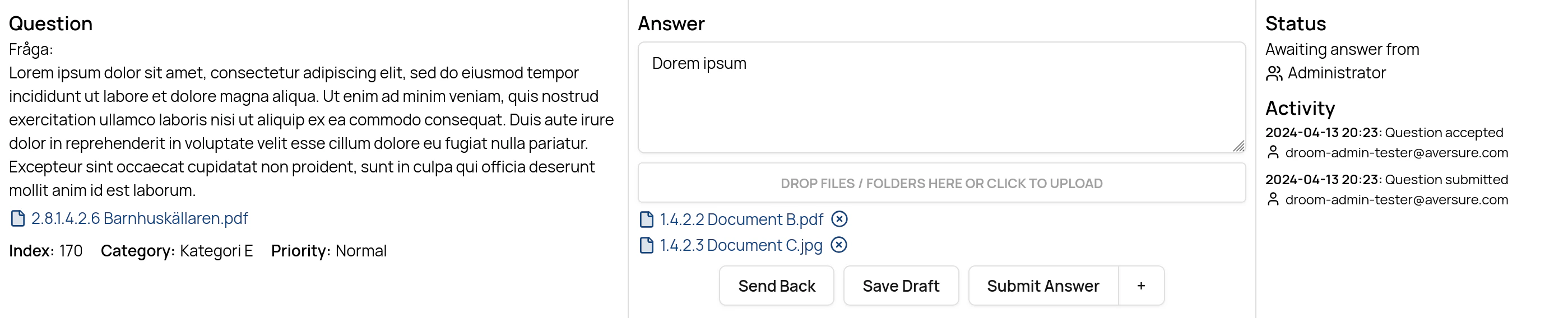
- Enter an answer in the text box.
- If applicable, attach one or more files or folders to the answer by dragging them to the answer or by clicking on the file box to upload files from your local computer.
- Click the Save draft button to save the answer as a draft. The draft will be made available to other users of the current pipeline step.
-
Click the Submit button to submit the answer and to move the question to the next step in the pipeline.
- Should you wish to add a comment for the next user(s) in the pipeline, click the + button next to Submit.
-
Click the Send back button to send the question back to the preceding step.